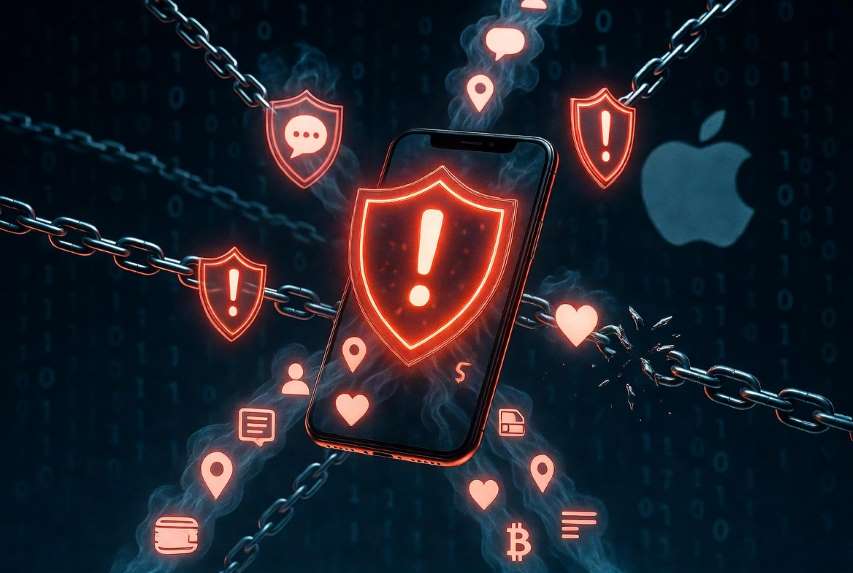
In a rare and strongly worded security advisory that has sent ripples through the global technology community, Apple is urgently calling on millions of iPhone users around the world to take immediate and decisive action. Security researchers from some of the industry’s most respected firms have uncovered a disturbing wave of highly sophisticated, web-based cyberattacks designed specifically to exploit vulnerabilities lingering in older versions of the iPhone Operating System. These attacks represent a significant escalation in mobile threats, placing the personal data of users who have not kept their software current at serious and immediate risk.
The exploits operate with remarkable stealth, often requiring nothing more than a visit to a compromised website—no malicious application downloads, no suspicious links to click, and no obvious signs that anything is amiss. Once triggered, they can silently harvest an extensive range of highly sensitive information. This includes private text messages and Internet Message conversations, detailed call logs, precise location history tracked over days or weeks, Safari browsing records that reveal online habits and searches, saved Wireless Fidelity passwords that could unlock entire home networks, Subscriber Identity Module card details that expose phone numbers and carrier information, comprehensive health and fitness data stored in the Health application, personal notes and reminders, calendar entries with meeting schedules and contacts, and even stored credentials for cryptocurrency wallets or banking applications. With older iPhone models still in widespread everyday use—industry estimates place the number of potentially vulnerable devices at well over two hundred million globally—the potential scale of this security breach is staggering, affecting everyday consumers, small business owners, professionals, and even high-profile individuals who rely on their phones for both personal and work-related activities.
Discovery and Scope of the Attacks
The threats first surfaced through meticulous, coordinated investigations conducted by leading cybersecurity organizations, including Google’s Threat Intelligence Group, iVerify, and Lookout. These experts pieced together evidence from multiple real-world incidents, revealing two particularly dangerous exploit kits that have been deployed in targeted campaigns across several countries. Dubbed Coruna and DarkSword, the kits are being actively used by a diverse array of threat actors. These include groups with ties to Russian intelligence services, Chinese state-sponsored cybercriminals, and independent hackers motivated by financial profit, corporate espionage, or political objectives.
What sets these attacks apart is their strategic use of the so-called “watering-hole” technique. Rather than blasting out spam electronic mails or fake applications, attackers identify and compromise legitimate, high-traffic websites that specific groups of users are likely to visit—whether those are regional news portals, government service pages, industry forums, or even popular electronic commerce sites in certain markets. When an unsuspecting user on an outdated iPhone Operating System version loads the infected page, the exploit kit springs into action automatically. This method dramatically increases the chances of success while minimizing detection, allowing the attacks to spread quietly and efficiently across borders and demographics.
How the Attacks Work in Technical Detail
At the heart of the campaign lies the Coruna exploit kit, which was first publicly documented just weeks ago and has quickly earned a reputation for its exceptional complexity and effectiveness. Security analysts describe it as containing a staggering twenty-three individual exploits spread across five complete iPhone Operating System exploit chains. The kit is engineered to target a wide swath of older iPhone Operating System versions, specifically those ranging from 13.0 all the way through 17.2.1. Its modular architecture gives attackers the flexibility to customize payloads on the fly, making it suitable for everything from broad cyber-espionage operations aimed at stealing government or corporate secrets to more opportunistic cryptocurrency theft schemes that drain digital wallets in seconds.
Following closely on Coruna’s heels is the newer DarkSword exploit kit, which functions as a refined “hit-and-run” successor. Optimized for speed and evasion, DarkSword zeroes in on slightly more recent but still outdated builds—primarily iPhone Operating System 18.4 through 18.7, with some variants extending to 18.6.2. Once inside the device, it rapidly locates and extracts the most valuable files before automatically deleting critical components of its own code to erase forensic evidence. This self-cleaning mechanism makes post-attack investigations far more challenging for both users and security teams. Real-world tracking has already linked DarkSword activity to users in geopolitically sensitive regions such as Ukraine, Saudi Arabia, Turkey, and Malaysia, where the combination of high mobile usage and elevated threat levels creates an ideal environment for these operations.
Apple’s own security documentation leaves no room for ambiguity: these powerful exploit kits can only succeed against older, unpatched operating systems. The moment a device receives and installs the latest supported software update, the underlying vulnerabilities are sealed shut, rendering the entire toolkit ineffective and protecting the user from further risk.
Which Older iPhone Models Are Most at Risk?
The cyberattacks have been deliberately calibrated to strike at legacy hardware that remains functional and popular but can no longer receive the absolute cutting-edge iPhone Operating System releases. Among the most commonly affected devices are the iPhone 6-s, iPhone 7, iPhone Special Edition (first generation), iPhone 8, iPhone 8+, iPhone 10, along with various compatible iPad models and iPod touch variants still in circulation. Users lingering on iPhone Operating System 13, iPhone Operating System 14, or early iterations of iPhone Operating System 15 face the highest level of exposure, particularly if they have delayed updates for reasons ranging from concerns about battery life and performance on aging hardware to simple forgetfulness or lack of awareness.
In response, Apple has demonstrated an unusually proactive stance by issuing targeted security patches specifically for these older devices. On 11/3/2026, the company released two important updates—iPhone Operating System 15.8.7 and iPhone Operating System 16.7.15—designed to close the gaps without requiring users to purchase new phones. Additional critical security alerts are anticipated in the coming days for those on even earlier versions, strongly encouraging an upgrade to at least iPhone Operating System 15 wherever the device hardware supports it. Apple continues to stress a clear and reassuring message: any iPhone that is running the most current supported version of the iPhone Operating System available for its model is completely shielded from these particular threats.
Apple’s Swift Response and Practical Recommendations
Apple’s security teams moved with impressive speed once the exploits were confirmed through internal testing and external reports. Company spokespeople have publicly confirmed that the vulnerabilities were thoroughly investigated and addressed in all available patches, with ongoing monitoring in place to detect and neutralize any emerging variants. This willingness to backport fixes to devices that are several generations old reflects Apple’s long-standing philosophy of supporting its ecosystem for as long as technically feasible—an approach that sets it apart from many competitors and builds user trust over the long term.
To help users protect themselves without delay, Apple and independent experts recommend the following comprehensive, step-by-step actions:
Check and install updates immediately — Navigate to Settings, then General, then Software Update and download whatever version is offered for your specific model. Even if the process takes ten to twenty minutes, completing it is the single most powerful step you can take to secure your device.
Verify your current operating system version first — Before starting the update, note the exact software build number displayed in the same menu so you can confirm you were on a vulnerable release and appreciate the protection now in place.
Enable Lockdown Mode when updates are no longer feasible — For devices that have reached the end of official software support, activate this advanced security layer via Settings, then Privacy and Security, then Lockdown Mode. It imposes strict restrictions on web content and other potential entry points, offering meaningful protection even on aging hardware.
Maintain Safari’s built-in protections — Safe Browsing remains enabled by default and actively blocks domains known to host these exploit kits. Users should avoid turning it off or using third-party browsers that might weaken these defenses.
Review and tighten application permissions — Once updated, go through Settings, then Privacy and Security to audit which applications have access to location data, contacts, photos, or the Health application, and revoke any permissions that are no longer necessary.
Create a fresh backup beforehand — Always perform a complete Internet Cloud or computer-based backup prior to installing major updates to safeguard your data in the unlikely event of any error during the process.
Monitor device behavior for anomalies — After updating, watch for unexpected battery drain, unusual data usage spikes, or applications that crash more frequently—these can sometimes indicate lingering issues from prior exposure.
Educate family members and colleagues — Share this advisory with anyone you know who still uses an older iPhone, as many users remain unaware of how long their devices have gone without critical patches.
Signs Your Device Might Already Be Compromised
While the attacks are designed to remain invisible, certain subtle indicators may suggest a device has been affected. These include sudden and unexplained increases in background data consumption, applications that request permissions they never needed before, or strange entries appearing in the Settings Battery or Settings Privacy menus. If you notice any of these red flags, perform a full software update immediately, change all important passwords from a different, trusted device, and consider contacting Apple Support for a deeper diagnostic review.
Broader Implications and Why This Matters Now
The emergence of these campaigns arrives at a time of heightened global awareness around mobile security and digital privacy. Smartphones have evolved far beyond simple communication tools; they now serve as digital vaults containing intimate medical histories, financial records, private family conversations, travel itineraries, and even evidence of professional or political activities. A successful breach could result in identity theft on a massive scale, direct financial losses through drained accounts or stolen cryptocurrency assets, emotional distress from exposed personal messages, or targeted surveillance against journalists, human rights activists, and corporate executives.
This situation also highlights the ongoing challenge of securing an enormous installed base of devices that span many years of hardware generations. While Apple’s closed ecosystem and rapid response to threats earn consistent praise, the simple reality is that millions of perfectly usable older iPhones continue to operate reliably for calls, messaging, banking, navigation, and photography—yet their software can fall behind if owners do not stay vigilant. Cybersecurity analysts compare the issue to a widening window of opportunity that sophisticated actors are now exploiting with increasing creativity.
Looking ahead, experts anticipate that Apple may continue to extend security support for legacy devices even further, potentially announcing new backported updates later this year. In the meantime, the advisory stands as a powerful reminder that digital security is ultimately a partnership between manufacturer and user. Simple daily habits—such as enabling automatic updates when connected to Wireless Fidelity, steering clear of unfamiliar websites, and treating every software notification as potentially critical—can dramatically reduce personal risk.
Stay safe, keep your iPhone updated without hesitation, and view every security-related prompt as an essential priority rather than an optional convenience. In today’s interconnected world, protecting your digital life is no longer optional—it is a fundamental responsibility that begins with a quick trip to the Settings application. By acting promptly, users can close the door on these evolving threats and continue enjoying their devices with confidence and peace of mind.
 |  |  |
 |  |  |