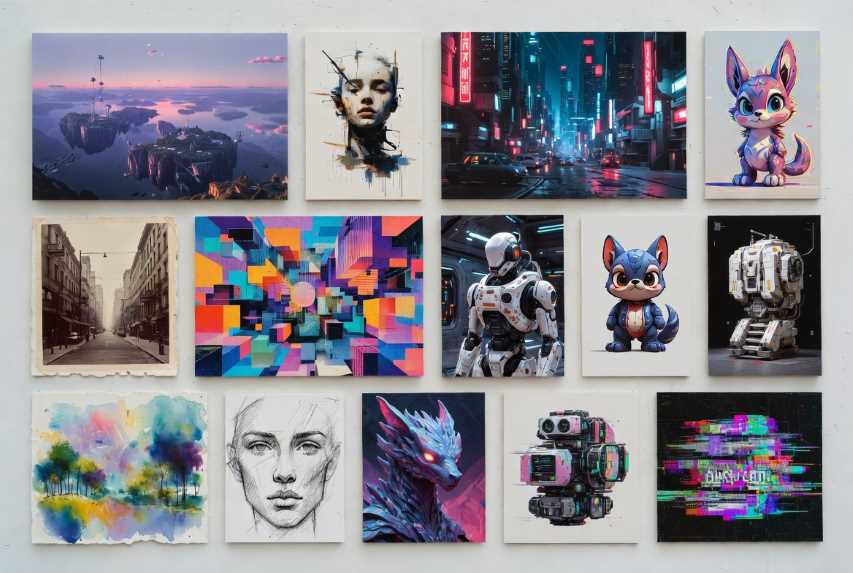
In the rapidly evolving landscape of artificial intelligence, artificial intelligence image generators have become indispensable tools for creators, businesses, educators, and everyday enthusiasts alike. These platforms harness advanced machine learning models to transform simple text descriptions into vivid, high-resolution visuals, democratizing access to art and design that once required specialized skills or expensive software. From photorealistic landscapes to abstract concepts, whimsical cartoons to professional graphics, these generators cater to a wide array of needs, fostering creativity without the barriers of traditional artistic training.
The rise of free tiers has made this technology even more accessible, allowing users to experiment, prototype, and produce content on a budget. However, free limits vary, often tied to daily quotas or credits to encourage upgrades for heavier use. Factors like image quality, generation speed, supported styles, and integration with other tools differentiate them, making some ideal for quick social media posts while others suit detailed artistic projects. In this comprehensive guide, we will explore the top ten free artificial intelligence image generators, detailing their free daily limits, step-by-step usage instructions, and official access links based on the latest available information. Whether you are a hobbyist sketching ideas or a marketer crafting visuals, these tools represent the pinnacle of generative artificial intelligence innovation in 2026.
Note: Limits are approximate and may reset daily or on a rolling basis—verify on the sites for real-time details.
Grok Imagine (Powered by xAI)
Grok Imagine, integrated with the Grok artificial intelligence chatbot on X (formerly Twitter), uses models like FLUX.1 for high-quality, creative images. It is great for fun, meme-style generations and ties into social media.
Official Link: https://grok.com/imagine
Free Daily Limit: 10 images per day for free users (higher for X Premium subscribers, up to unlimited with no wait times).
How to Use Step by Step:
Access Grok on X: Open the X application or website and log in with your free X account. If you do not have one, sign up using email or phone.
Start a Conversation with Grok: Search for "@grok" or navigate to the Grok chat interface via the sidebar (look for the Grok icon). Start a new chat.
Enter Your Prompt: Type a descriptive prompt prefixed with "Generate an image of..." or similar, for example, "Generate an image of a cyberpunk samurai in a rainy city street." Include details like style, mood, or aspect ratio for better results.
Submit the Request: Press Enter. Grok will process the prompt and generate the image or images in 10 to 60 seconds, depending on the queue.
View and Refine: The image appears in the chat. Reply with modifications like "Make it more vibrant" to refine (this counts toward your limit).
Download or Share: Tap or click the image to enlarge, then download or share directly on X.
Monitor Limits: If you hit the limit, Grok notifies you. Free users may experience cooldowns (for example, every 2 hours for batches).
ChatGPT (Powered by DALL·E)
ChatGPT's DALL·E integration excels in versatile, high-quality images, from realistic to abstract.
Official Link: https://chatgpt.com
Free Daily Limit: 2 to 3 images per day.
How to Use Step by Step:
Sign Up or Log In: Visit chatgpt.com and create or log in with a free OpenAI account.
Start a New Chat: Click "New Chat" in the interface.
Enter Your Prompt: Type "Generate an image of [description]," for example, "a futuristic cityscape at sunset with flying cars."
Submit and Wait: Press Enter; generation takes 10 to 30 seconds.
View and Refine: The image appears; refine by replying with changes.
Download: Hover and click the download icon.
Monitor Limits: Notifications appear when limits are reached.
Google Gemini
Gemini offers photorealistic images with fast processing and Google ecosystem integration.
Official Link: https://gemini.google.com
Free Daily Limit: Up to 100 images per day (soft limit; may slow after heavy use).
How to Use Step by Step:
Access the Tool: Go to gemini.google.com and sign in with a Google account.
Craft Your Prompt: Type directly, for example, "A serene mountain lake at dawn."
Generate: Hit Enter; images appear in 5 to 20 seconds.
Iterate: Reply with refinements.
Save: Enlarge and download or export to Google Drive.
Track Usage: There is no visible counter, but it may queue if overused.
Leonardo.ai
Leonardo.ai is artist-focused with advanced models for anime, realism, and custom controls.
Official Link: https://leonardo.ai
Free Daily Limit: 150 tokens per day (about 30 to 40 images).
How to Use Step by Step:
Register: Visit leonardo.ai and sign up for free.
Set Up: Complete the onboarding quiz.
Access Generator: Click "Image Generation."
Input Prompt: Describe the image, for example, "Majestic dragon over ruins," and adjust settings like the model and aspect ratio.
Customize: Add negative prompts or alchemy enhancements.
Generate: Click "Generate;" results appear in 10 to 30 seconds.
Refine and Download: Use the upscale or remix features; download via the icon. Tokens reset at midnight Coordinated Universal Time.
Adobe Firefly
Firefly emphasizes ethical artificial intelligence with professional editing tools.
Official Link: https://firefly.adobe.com
Free Daily Limit: 25 credits per month (roughly 1 per day if paced).
How to Use Step by Step:
Sign In: Go to firefly.adobe.com and log in with an Adobe Identity.
Choose Tool: Select "Text to Image."
Enter Prompt: Type a description, for example, "Tropical beach in watercolor."
Adjust: Set the aspect ratio, style, and effects.
Generate: Click "Generate;" 4 variations appear in 10 to 40 seconds.
Edit: Use generative fill for refinements.
Download: Select and download. Monitor credits in the settings.
Microsoft Designer (Formerly Bing Image Creator)
Powered by DALL·E, it is simple for quick, realistic images.
Official Link: https://designer.microsoft.com
Free Daily Limit: 15 fast generations per day (unlimited slow generations after).
How to Use Step by Step:
Log In: Visit designer.microsoft.com and sign in with a Microsoft account.
Prepare Prompt: Enter a description, for example, "Astronaut on the moon riding a horse."
Select Style: Optional; for example, add "in oil painting."
Generate: Click "Create;" 4 images appear in 10 to 20 seconds.
Review: Scroll through the grid; switch to slow generation if you are over the fast limit.
Refine: Edit the prompt or select "More like this."
Save: Enlarge and download. Boosts are shown at the top.
Ideogram
Ideogram specializes in text-integrated images like logos and posters, with strong prompt adherence.
Official Link: https://ideogram.ai
Free Daily Limit: Varies by category (for example, 12 for people, 40 for logos; total around 20 to 50 images).
How to Use Step by Step:
Access Website: Go to ideogram.ai.
Sign In: Use Google, Apple, or Microsoft.
Explore Categories: Browse People, Poster, and other categories.
Create: Click "Create;" input your description.
Add Reference: Upload an image if needed.
Use Features: Apply Remix, Magic Fill, or Upscale.
Open Editor: Edit further; download from "My images."
Canva Magic Studio
Canva's artificial intelligence integrates seamlessly with design tools for quick graphics.
Official Link: https://www.canva.com/ai-image-generator
Free Daily Limit: Limited use (about 5 to 10 images per day; the exact number is not specified and encourages an upgrade).
How to Use Step by Step:
Start Project: Open www.canva.com/ai-image-generator; log in for free.
Describe Image: Input your prompt; choose a style like Watercolor.
Generate: Click "Create your image."
Enhance: Add effects or filters.
Download or Share: Save or use the image in your Canva projects.
Craiyon
Craiyon (formerly DALL·E Mini) is straightforward for fun, quirky images.
Official Link: https://www.craiyon.com
Free Daily Limit: Unlimited generations, but with wait times and lower quality (no specific cap, but throttled during peaks).
How to Use Step by Step:
Enter Idea: Visit www.craiyon.com; type your prompt.
Choose Style: Select Artistic, Photo, and so on.
Pick Ratio: Square, landscape, or portrait.
Draw: Click "Draw now;" wait 10 to 30 seconds.
Refine: Edit the prompt or exclude elements; retry.
Playground AI
Playground AI offers collaborative editing and multiple models for creative freedom.
Official Link: https://playground.com
Free Daily Limit: Up to 100 images per day (subject to rate limiting; 10 downloads per day).
How to Use Step by Step:
Sign Up: Visit playground.com; create a free account.
Access Editor: Click "Create" or start a new project.
Enter Prompt: Describe the image; select a model (for example, Playground version 3).
Customize: Adjust filters and upload references.
Generate: Hit generate; results appear in seconds.
Edit: Use tools like background removal (limited on the free tier).
Download: Save up to the limit; upgrade for more.
Comparison of the Top 10 Free Artificial Intelligence Image Generators
| Tool | Image Quality | Generation Speed | Supported Styles | Free Daily Limit | Best For |
|---|---|---|---|---|---|
| Grok Imagine | High | 10 to 60 seconds | Creative, memes | 10 images | Social media integration |
| ChatGPT (DALL·E) | Excellent | 10 to 30 seconds | Versatile | 2 to 3 images | Conversational use |
| Google Gemini | Photorealistic | 5 to 20 seconds | Realistic, art | 100 images | Fast, everyday prompts |
| Leonardo.ai | Professional | 10 to 30 seconds | Anime, fantasy | 30 to 40 images | Artists, custom models |
| Adobe Firefly | Ethical, professional | 10 to 40 seconds | Photo, graphic | ~1 per day (monthly) | Design professionals |
| Microsoft Designer | Good | 10 to 20 seconds | Realistic | 15 fast generations | Quick ideas, Windows users |
| Ideogram | Text-focused | 10 to 20 seconds | Logos, posters | 20 to 50 images | Branding, text in images |
| Canva Magic Studio | User-friendly | 10 to 30 seconds | Design-oriented | 5 to 10 images | Graphic design projects |
| Craiyon | Basic | 10 to 30 seconds | Fun, quirky | Unlimited (throttled) | Casual experimentation |
| Playground AI | Versatile | 5 to 15 seconds | Collaborative | 100 images | Editing, community sharing |
As we look ahead in 2026, the world of artificial intelligence image generation continues to push boundaries, with ongoing improvements in realism, ethical safeguards, and integration with emerging technologies like augmented reality and collaborative workflows. These free tools not only empower individuals to bring their visions to life but also spark innovation across industries, from marketing to education.
When selecting one, consider your specific needs—such as limit generosity for frequent use (for example, Google Gemini or Playground AI) or specialized features for artistic depth (for example, Leonardo.ai). Start with unlimited or high-limit options like Craiyon to hone your prompting skills, then explore paid upgrades for unlimited access and advanced capabilities. Remember, while these generators are powerful, combining them with human creativity yields the best results. Stay updated on updates, as artificial intelligence evolves quickly, and always respect copyright and ethical guidelines in your creations. With these resources at your fingertips, the possibilities for visual storytelling are truly boundless!
 |  |  |
 |  |  |